
Play your subliminals. Make your own.
Play the subliminals you have and make your own, each voice measured so you know how hidden it is. Loop a track as many times as you want and control it from Apple Watch.

Coming soonFor iPhone, iPad and iPhone Duo
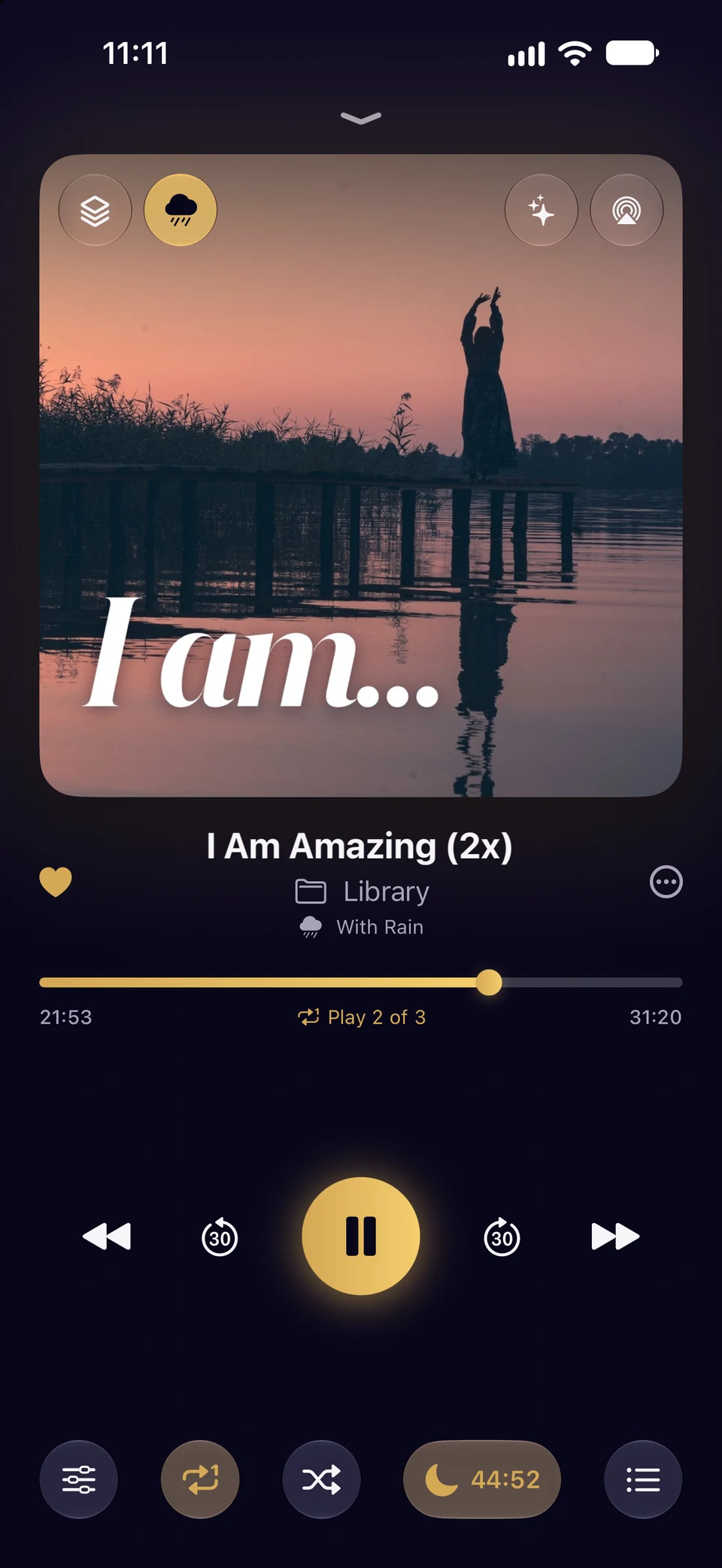

All your subliminals in one place
Bring in what you already listen to: files, whole folders, ZIPs, videos and links. Folders and playlists play in the order you set.
- Any format
- MP3, AAC, FLAC, WAV, Opus, Ogg, WebM, MKV, WMA and more, and the audio of a video.
- Repeat a set number of times
- Loop a track as many times as you set, then go on to the next or stop.
- Plays per entry
- Each playlist entry can play its own number of times.
- Volume boost and speed
- Boost quiet recordings, and play tracks slower or faster.
- Mixes
- Several tracks at once as one, each at its own volume and side.
- Background Sound
- Rain, ocean or a binaural beat under anything you play.
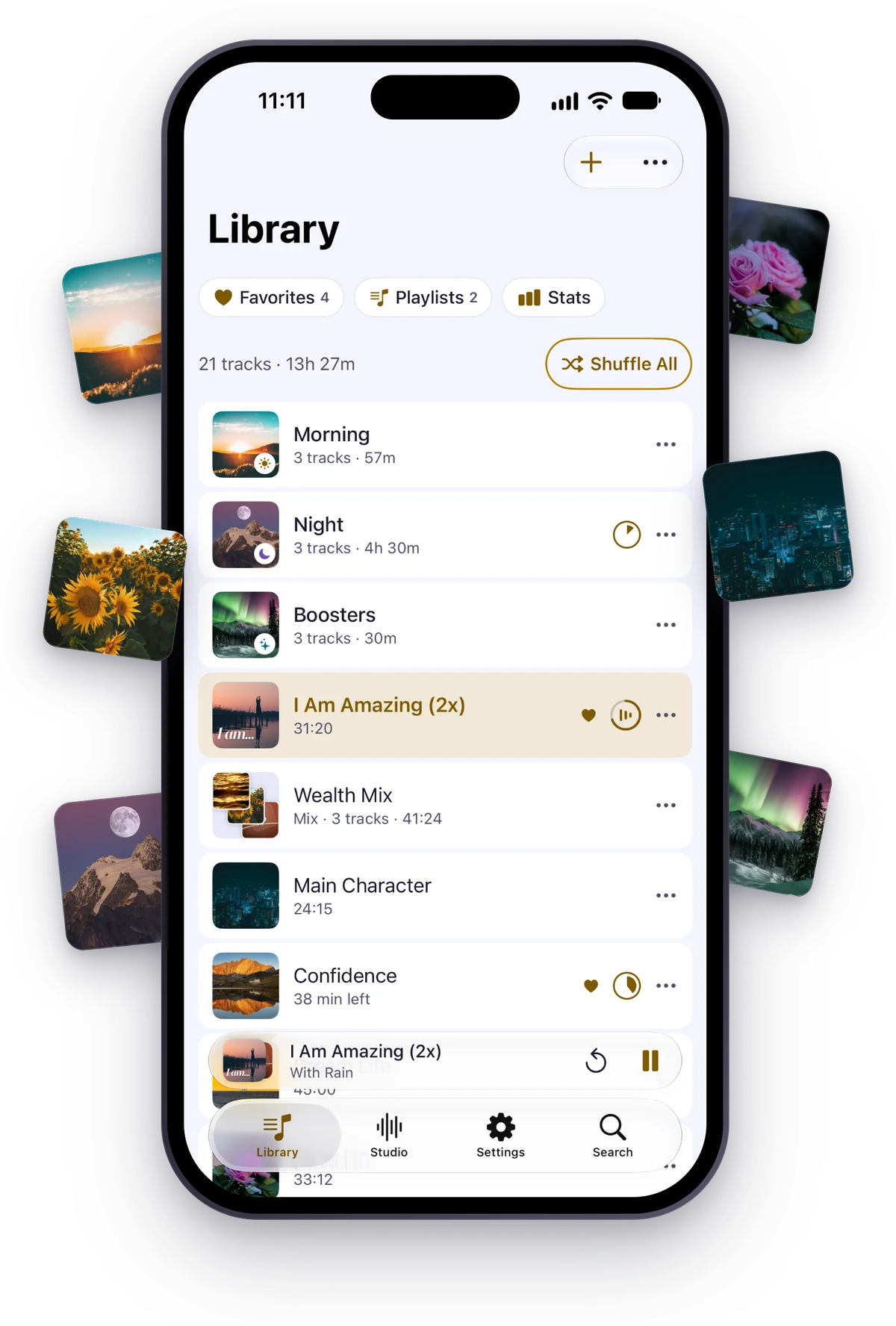
Fall asleep to your subliminals
Set the sleep timer by minutes, or to stop at the end of a track, a folder or a playlist. It fades out at the end and leaves the night quiet: no other app’s audio starts after it.
- Up Next
- See the rest of the night, and change it for this time only.
- Long tracks resume
- Pick up where you stopped.
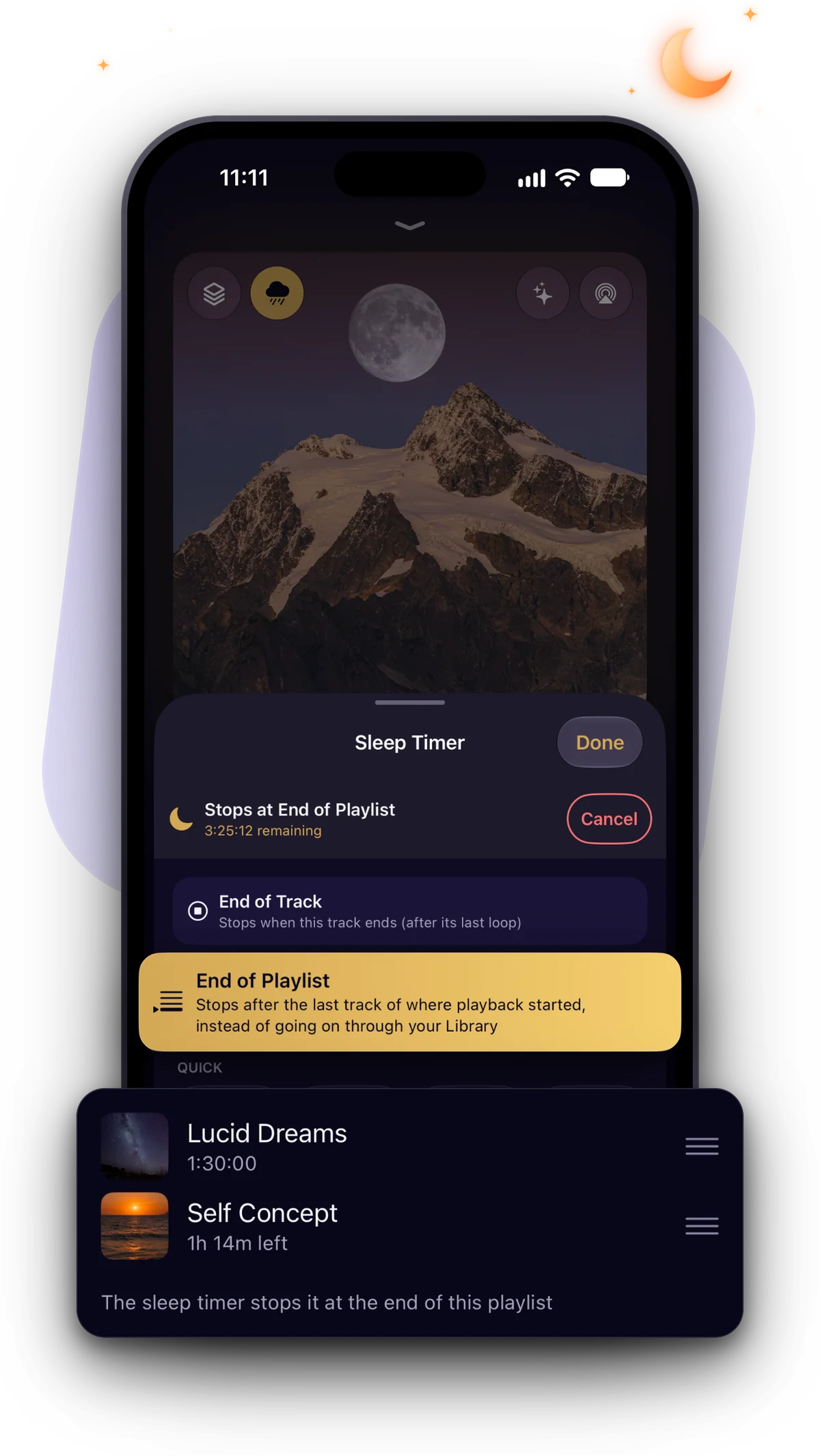
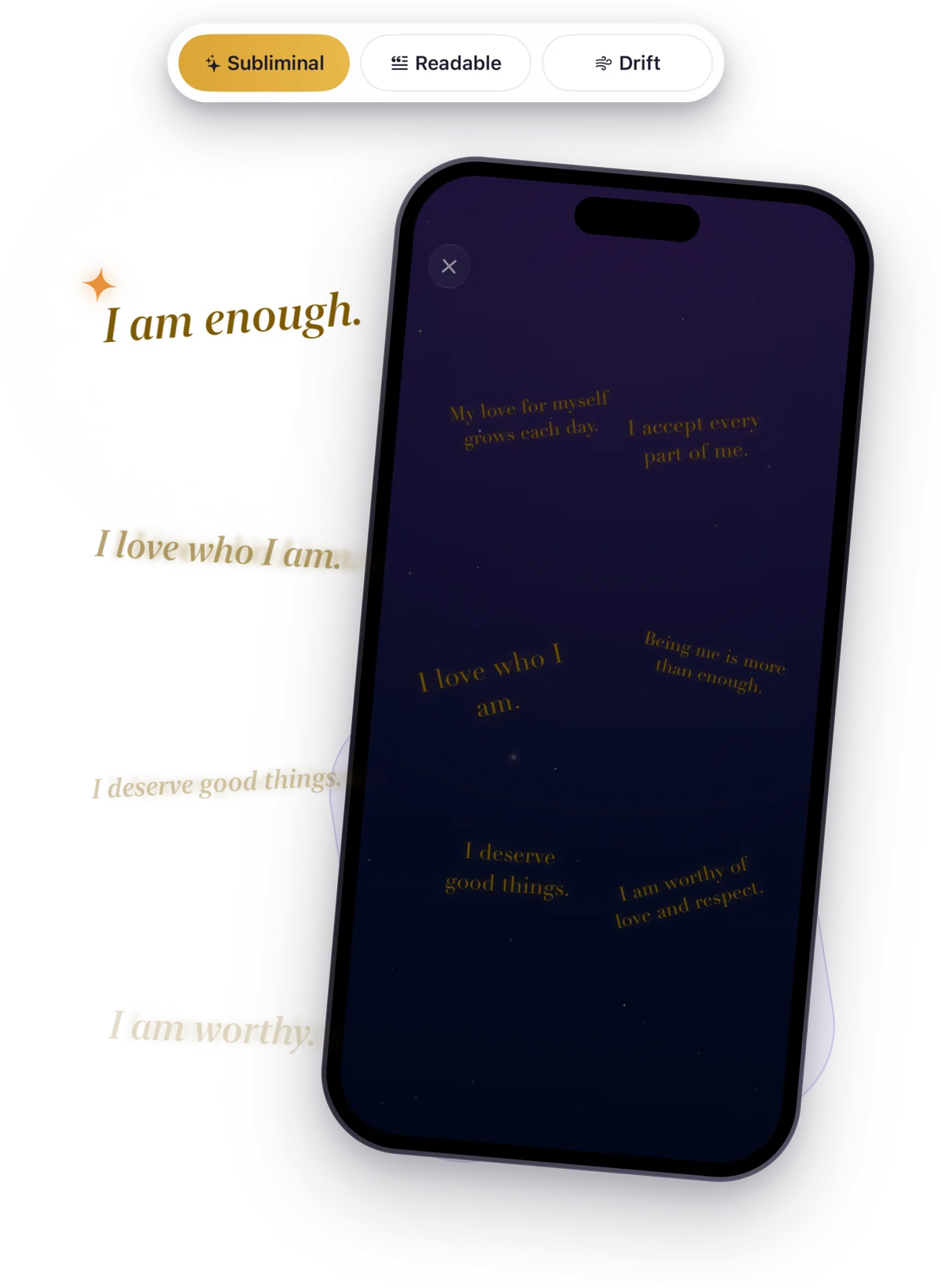
See your affirmations while you listen
Visuals show your affirmations on screen while a track plays, flashed within photosensitivity limits or steady, over your cover or a slideshow of your own pictures. Save them as a video to Photos.
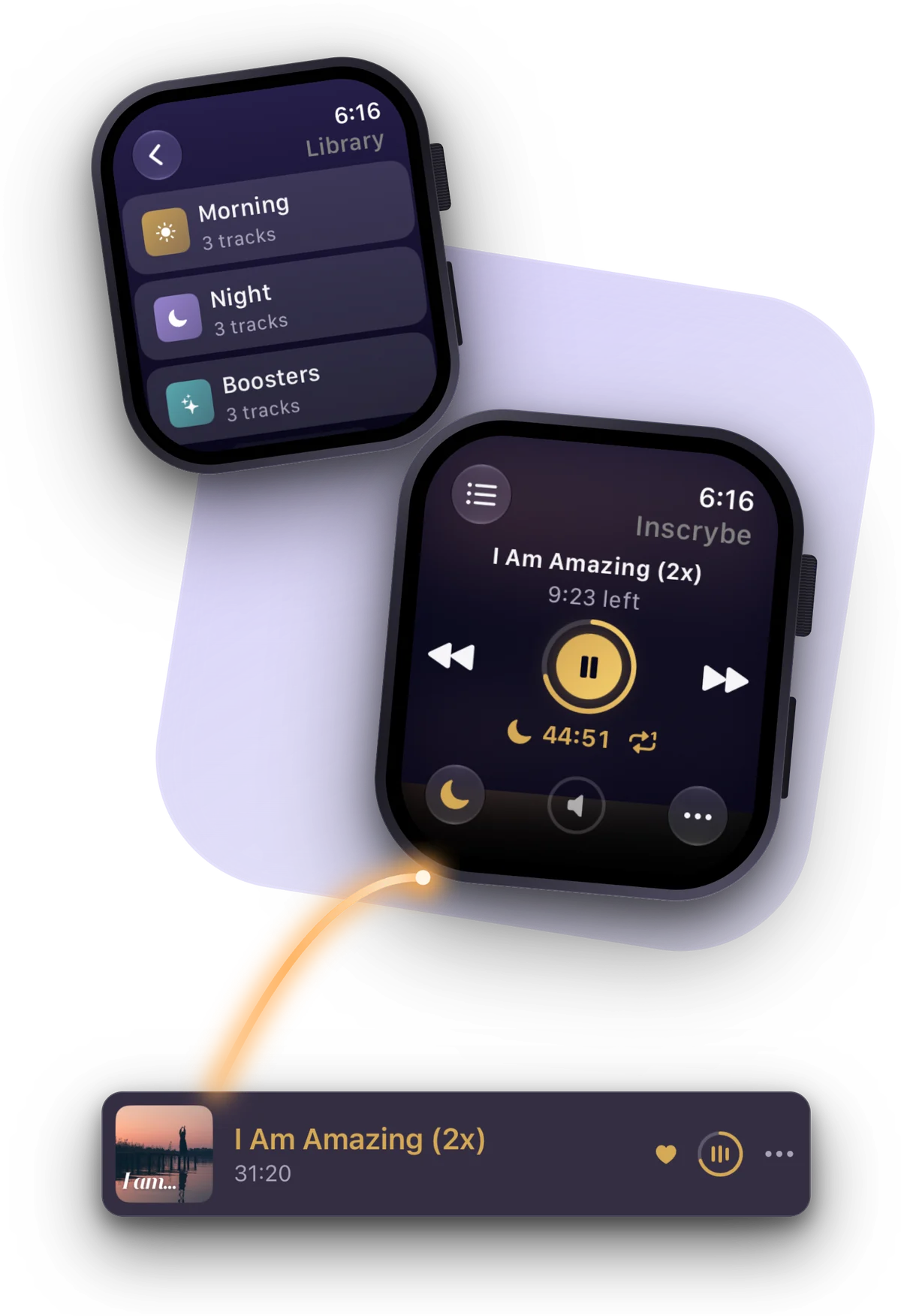
Control it from your Apple Watch
Your subliminals wherever you listen: the Lock Screen, Control Center, widgets, CarPlay, Siri and Shortcuts, AirPlay, and an Apple Watch remote with complications.
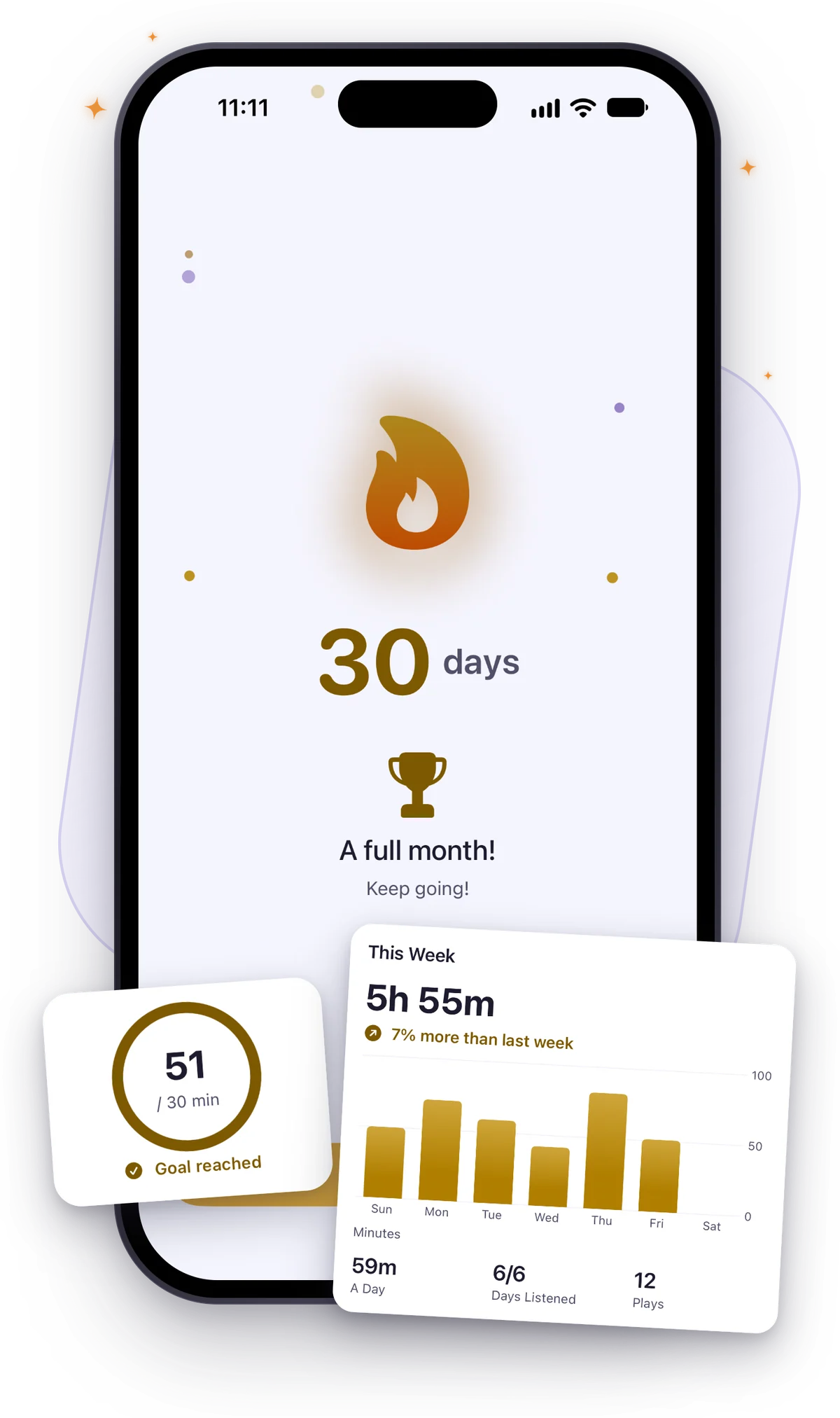
Keep your streak going
Stats show your hours, a daily goal and your streak, with your week, your months and years, your records and when you listen.
Layer your voice with music
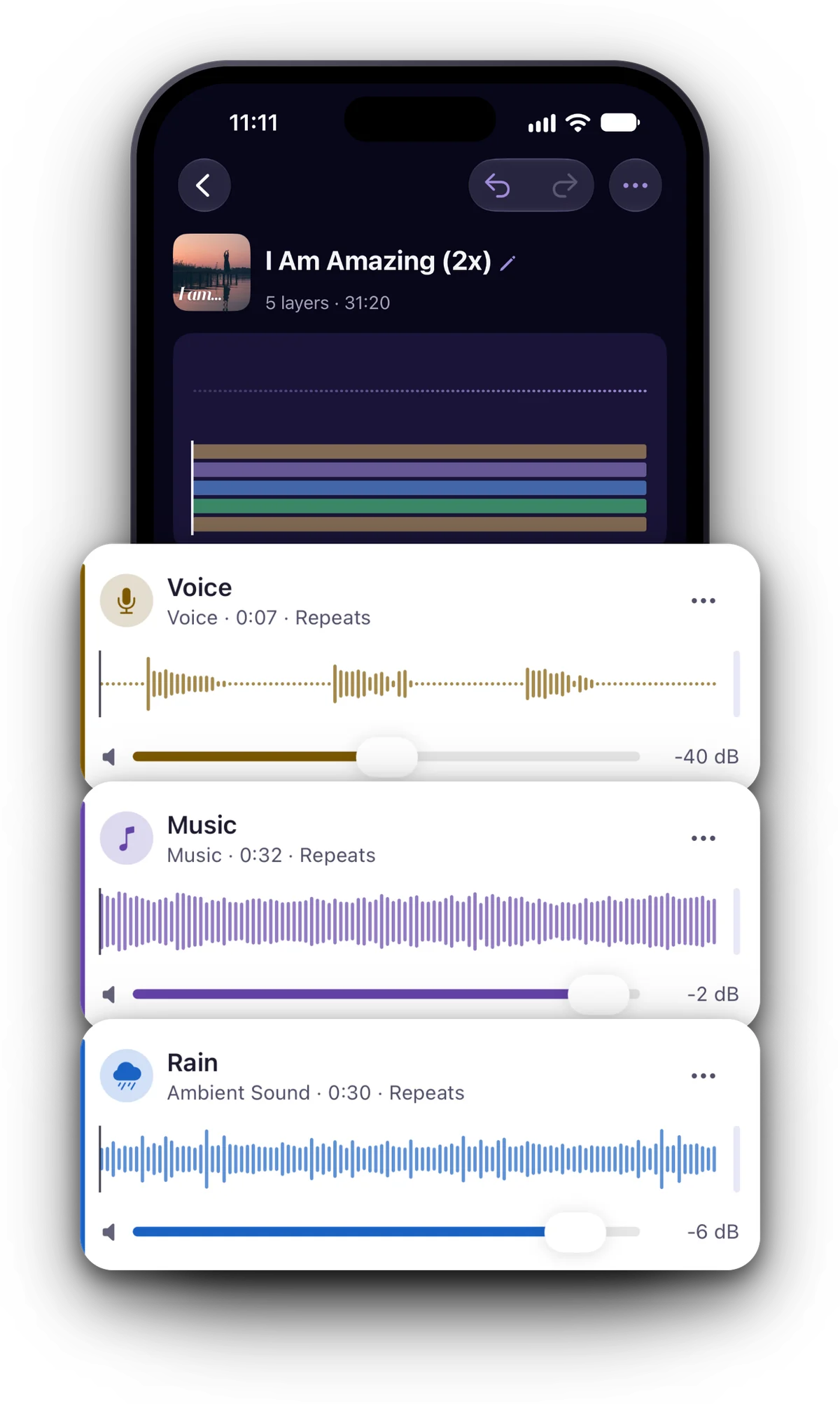
The Studio makes subliminals the way a professional would: your voice over music, rain or a binaural beat, in layers you shape clip by clip.
- Layers of clips
- Each with its own start, pauses, repeats, fades, volume, side, speed and pitch.
- Built-in sounds
- Rain, ocean, forest, fire and noise, and binaural beats from delta to gamma (headphones needed).
- Silent voice
- Moves a voice above hearing for silent subliminals, with a check before you save.
- Save to Library
- As AAC, WAV, MP3 or Apple Lossless. Edit the project and save again to replace it.
Record or speak your affirmations
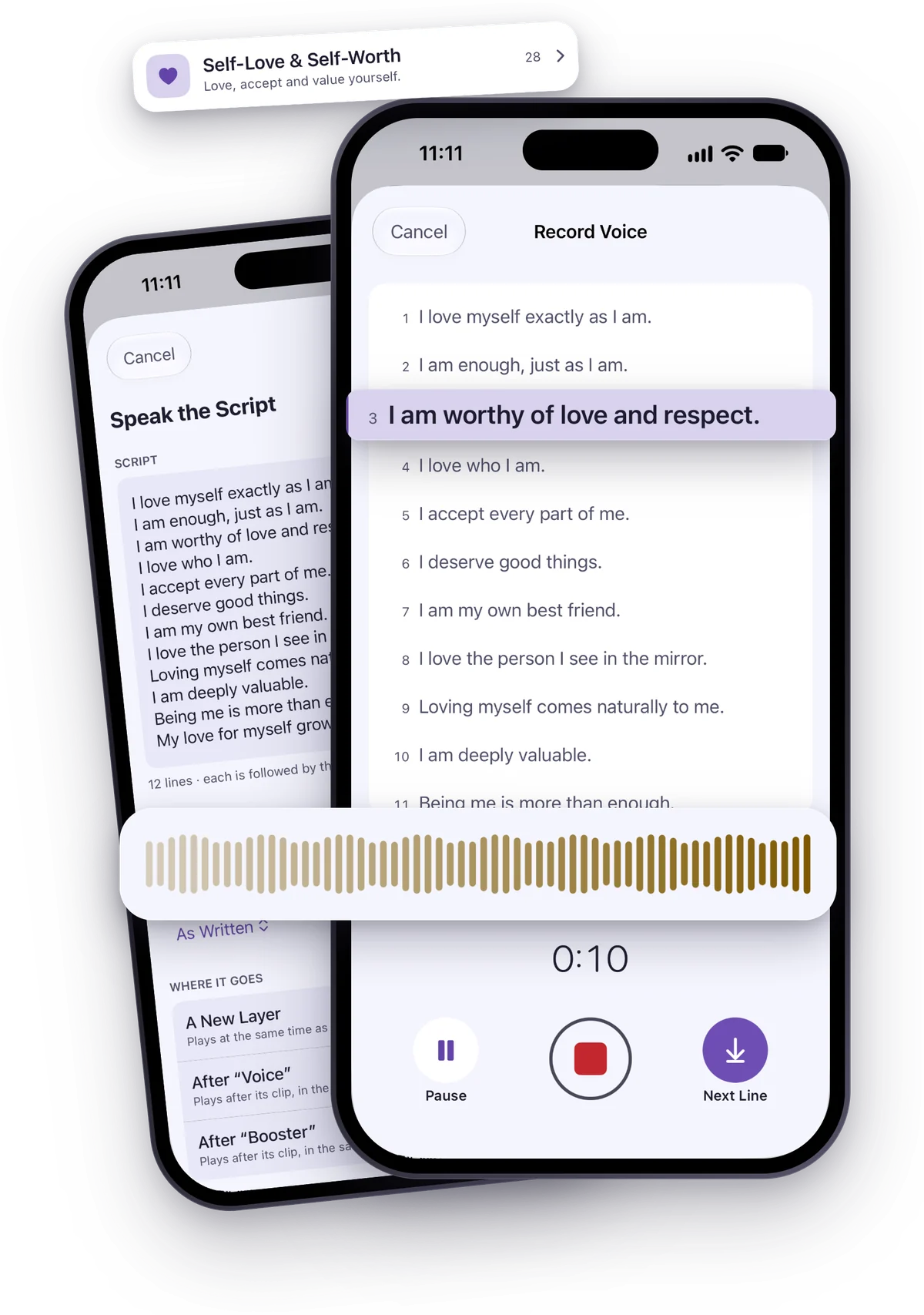
Record line by line with your script on screen and a count-in, and record any line again. Or let Speak turn a written script into a voice on your device, with your own pronunciations.
- The Affirmation Library
- Ready-made affirmations by category, in first person, second person or with a name.
- My Recordings
- Every take you keep, on all your devices.
Keep your subliminals private
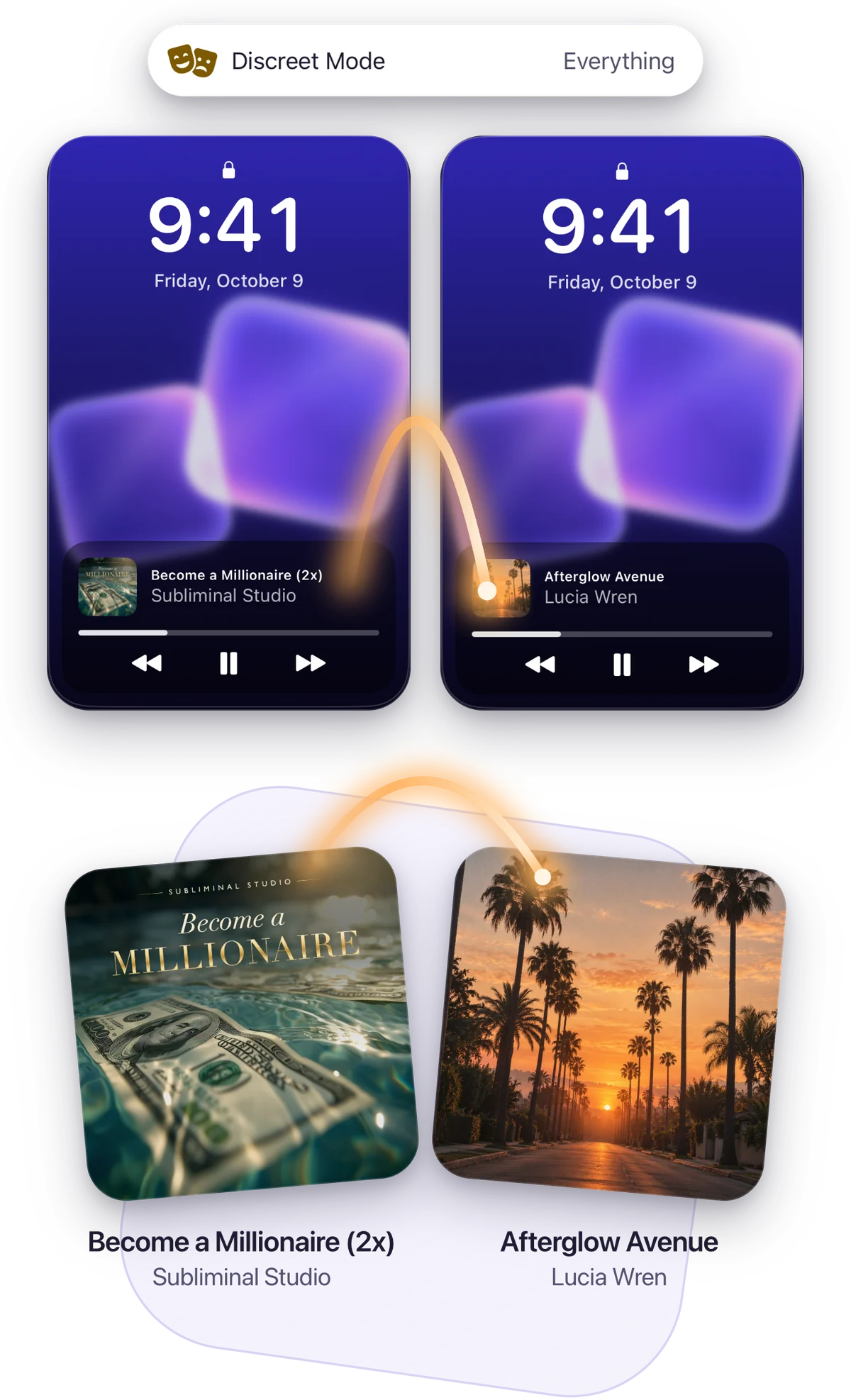
Discreet Mode shows made-up names and covers on the Lock Screen, in CarPlay, in widgets and on Apple Watch. Hidden is a collection with its own lock, and App Lock opens Inscrybe with Face ID, Touch ID or a PIN.
- No analytics
- Nothing logs how you use the app. Crash reports never carry your tracks or scripts, and you can turn them off.
- iCloud sync
- Your Library, projects and recordings on all your devices, in your own iCloud.
Inscrybe
Inscrybe is coming to the App Store for iPhone, iPad and iPhone Duo, with CarPlay and Apple Watch.
Coming soonFor iPhone, iPad and iPhone Duo
Support
Answers to what people ask most. For anything else, write to us.
Write to us
Tell us what you were doing when it happened and which iPhone or iPad you use.
From the app: Settings › Contact. With Include Device Information on, your message carries the details that help find a bug, never your tracks or scripts.
Listening
How do I bring my subliminals into Inscrybe?
In the Library, tap + and choose Import Files, Import Folder or Import from a Link. You can also open an audio file in Inscrybe from Files, AirDrop or the Share sheet. A link has to point to the file itself; streaming services aren’t supported.
How do I repeat a track a set number of times?
In the player, tap Repeat, then under Repeat This Track choose a number of times or Custom…. With Then Play Next on, the next track plays after the last time; otherwise playback stops there.
How does the sleep timer work?
Tap the moon in the player and choose a length in minutes, End of Track, End of Folder or End of Playlist, depending on what’s playing. The sound fades out at the end.
Does the Apple Watch app play audio?
No. It’s a remote for your iPhone: it shows what’s playing, controls it and the sleep timer, and opens your Library and playlists. Your iPhone plays the audio.
The Studio
What does How Hidden measure?
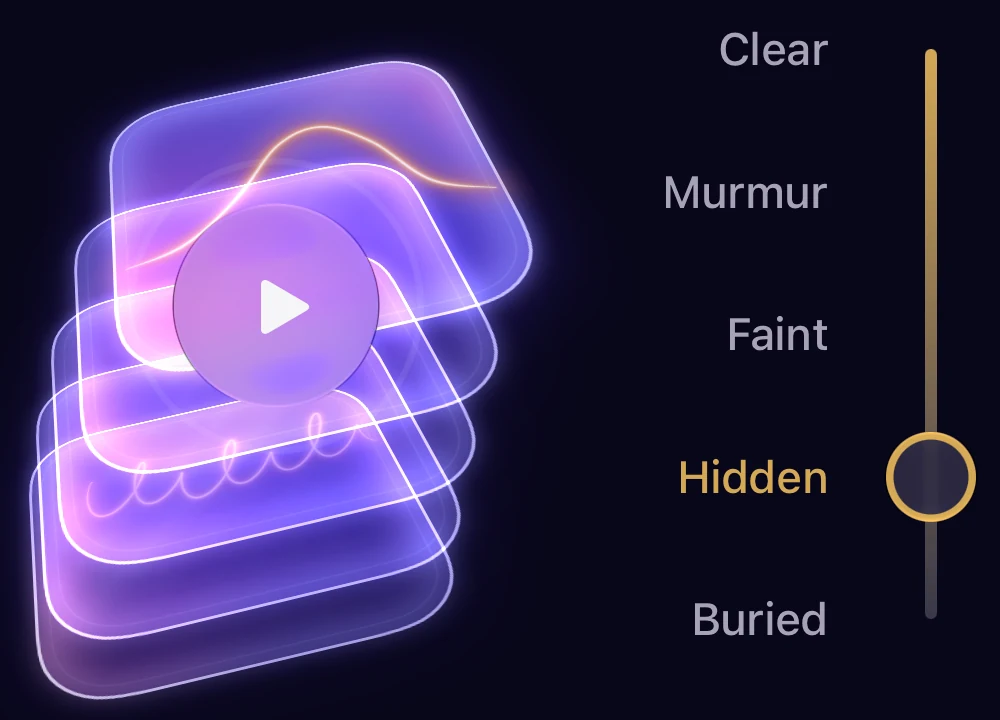
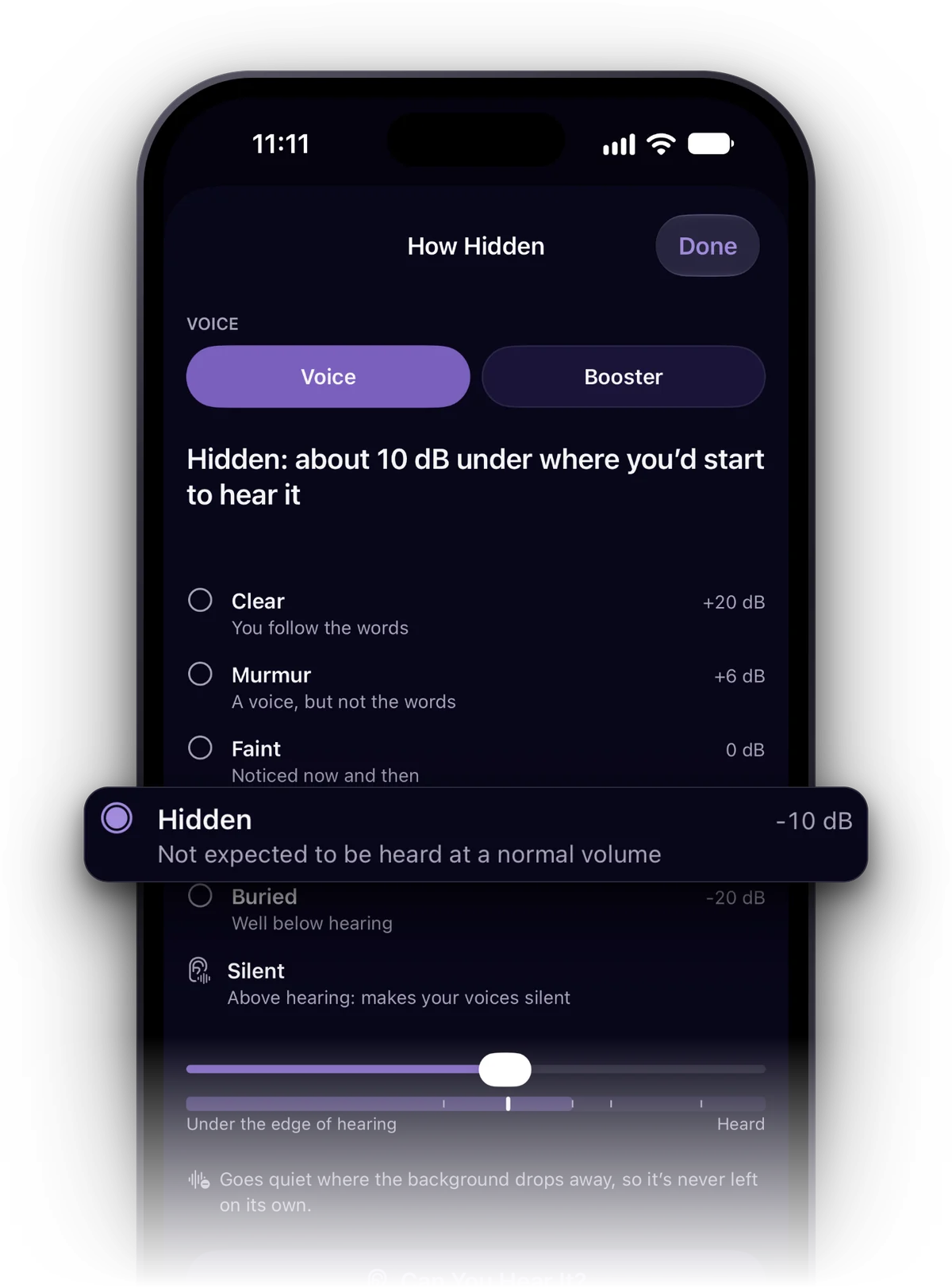
How Hidden compares each voice in a project with the music and sounds over it and tells you where it sits: Clear, Murmur, Faint, Hidden or Buried. Tap a stop and the voice’s volume is set to reach it. It’s an estimate, so Can You Hear It? lets you check with your own ears.
How do I save a project as a track?
In the project, tap Save to Library and choose the format. When you save it again after an edit, Inscrybe offers to replace that track, keeping its plays and its place in your Library.
Privacy
What does Discreet Mode change?
A disguised track shows a made-up name and cover in Inscrybe and outside it: on the Lock Screen, in CarPlay, in widgets, on Apple Watch, in Siri and in the names of files you share. Turn it on in Settings › Privacy › Discreet Mode, for Private Items or Everything. Show Real Names shows the real ones in Inscrybe until you leave the app.
I forgot my App Lock PIN.
On the lock screen, tap Forgot PIN? and get back in with your device’s passcode or your recovery code, whichever you chose when you set up App Lock.
What does Inscrybe collect?
Inscrybe has no analytics: nothing logs how you use the app. If it crashes, a report is sent without your track names, your scripts or anything about you. Turn off Share Crash Reports in Settings › Privacy to send none.
Your account
How do I use Inscrybe on all my devices?
Turn on Settings › iCloud Sync on each device signed in to the same Apple Account. Your Library, playlists, projects and recordings sync through your own iCloud, and audio downloads when it plays.
How do I restore my subscription on a new device?
In Inscrybe, open Settings and tap Restore Purchases, signed in with the Apple Account you subscribed with.
How do I change or cancel my subscription?
In Inscrybe, open Settings and tap Manage Subscription, or go to the Settings app, tap your name, then Subscriptions. Apple handles billing.